

What belongs on your new hire paperwork checklist
Every U.S. employer needs the same core set of documents in place before a new employee's first paycheck clears. Miss one, and you're looking at IRS penalties, USCIS fines, or a state audit. The list below covers every mandatory and standard form, with notes on timing so nothing slips through.
Federal and tax forms:
- Form I-9 (Employment Eligibility Verification): Section 1 completed by Day 1; Section 2 within three business days
- Form W-4 (Federal Income Tax Withholding): collected before or on Day 1
- State income tax withholding form (where applicable): collected alongside the W-4
- State new hire reporting form: submitted to the state agency within the deadline your state sets
Standard HR and policy documents:
- Signed offer letter or employment agreement
- Employee handbook acknowledgment
- Confidentiality or non-disclosure agreement (NDA)
- Non-compete or non-solicitation agreement (if applicable)
- Benefits enrollment forms: health, dental, vision, 401(k)
- Direct deposit authorization
- Emergency contact form
- Equipment or property agreement (laptop, badge, vehicle)
- Background check authorization and results acknowledgment
For independent contractors only:
- Form W-9 (Request for Taxpayer Identification Number): replaces the W-4 entirely for contractors
Pro Tip: Send the W-4, offer letter, and handbook acknowledgment three to five days before the start date. Day 1 then stays focused on introductions and role orientation rather than a stack of forms.
Table of Contents
- What federal and state law actually requires
- Standard documents that go beyond the legal minimums
- Legal obligations and reporting you can't skip
- How to time your paperwork collection for best results
- Why paperwork alone won't keep your new hires around
- How to organize and securely store new hire documents
- Mistakes that create real problems during onboarding
- Digital vs. paper forms: what actually works in 2026
- Webeonboarded makes document tracking part of your onboarding workflow
- Key Takeaways
What federal and state law actually requires
Form I-9: the non-negotiable starting point
Form I-9 is mandatory for every new hire in the U.S., full stop. The employee completes Section 1 on or before their first day of work. You, the employer, complete Section 2 within three business days by physically examining identity and work authorization documents from the USCIS List A, B, or C. Failure to comply exposes you to civil penalties from USCIS, and those fines scale with the number of violations.
Remote hires add a wrinkle. You can use an authorized representative to inspect documents in person, or use E-Verify's remote examination option if your company is enrolled. Either way, the three-business-day clock still applies.
Form W-4: federal tax withholding
The W-4 was redesigned in 2020 to improve withholding accuracy. Most employees only need to complete Step 1 (personal information) and sign Step 5. Steps 2 through 4 are optional and apply to employees with multiple jobs, dependents, or other income. Collect the W-4 before the first payroll run, not after.
State withholding forms and new hire reporting
Every state that levies income tax requires its own withholding form. California uses DE-4, New York uses IT-2104, and states like Texas and Florida skip this form entirely because they have no state income tax. If you hire across multiple states, you need the correct form for each employee's work state, not their home state.
New hire reporting is a separate obligation. Federal law requires employers to report new hires to their state's designated agency, and states set their own deadlines, most falling within 20 days of hire. The federal new hire reporting portal and the multistate employer registry are the two main federal resources for this.
| Form | Jurisdiction | Deadline | Who Completes It |
|---|---|---|---|
| Form I-9 | Federal | Section 2 within 3 business days | Employer + employee |
| Form W-4 | Federal | Before first payroll | Employee |
| State withholding form | State (varies) | Before first payroll | Employee |
| New hire report | State agency | Usually within 20 days | Employer |
| Form W-9 | Federal | Before first payment | Contractor |
Standard documents that go beyond the legal minimums
Legal compliance covers the floor, not the ceiling. The documents below protect the company, set clear expectations, and keep benefits administration running without confusion.
Offer letter and employment agreement: The offer letter confirms compensation, title, start date, and at-will status. A formal employment agreement goes further, spelling out duties, termination conditions, and any restrictive covenants. Both should be signed before Day 1, not handed over on arrival.
Employee handbook acknowledgment: Distributing the handbook means nothing if you can't prove the employee read it. A signed acknowledgment, dated and filed, is your evidence in any future dispute over policy violations or termination.
Confidentiality and non-compete agreements: NDAs protect trade secrets, client lists, and proprietary processes. Non-compete clauses are enforceable in some states and void in others, so review your state's current rules before including one. California, for instance, bans most non-competes outright.
Benefits enrollment forms: Health insurance, dental, vision, life insurance, and 401(k) enrollment each have their own deadlines, often 30 days from the hire date. Missing that window can lock an employee out of coverage for a full year.
Direct deposit, emergency contacts, and equipment agreements: Direct deposit authorization prevents payroll errors. Emergency contact forms are low-stakes to collect but high-stakes when you actually need them. Equipment agreements document what company property the employee holds, which matters at separation.
Legal obligations and reporting you can't skip
I-9 retention and audit readiness
Employers must keep I-9 forms for three years after the hire date or one year after termination, whichever is later. W-4 forms must be retained for four years. Other employment records generally fall in the one-to-three-year range depending on the document type and applicable law. Store I-9s separately from the main personnel file so you can produce them quickly during a USCIS audit without exposing unrelated employee records.

New hire reporting obligations
Federal law requires every employer to report new hires to the state agency within the timeframe the state specifies, typically 20 days. The data goes into the National Directory of New Hires, which states use to enforce child support orders. Skipping this step isn't just a compliance gap; it can result in fines from your state.
Contractors vs. employees: a critical distinction
Independent contractors complete Form W-9, not Form W-4. Handing a W-4 to a contractor signals employee status to the IRS, which can trigger a reclassification audit, back taxes, and penalties. Before you decide which form to use, confirm the worker's classification under IRS common-law rules and your state's own test.
Common legal mistakes to avoid:
- Completing Section 2 of the I-9 before the employee's first day (prohibited)
- Accepting expired documents during I-9 verification
- Storing I-9s inside the main personnel file (creates audit exposure)
- Failing to re-verify work authorization when a temporary visa expires
- Skipping state new hire reporting because you assume it's optional
How to time your paperwork collection for best results
Stacking every form on Day 1 is one of the most common onboarding mistakes, and it's entirely avoidable. A three-stage timeline keeps compliance intact while giving new hires a better first impression.

Preboarding (three to five days before start date): Send the W-4, state withholding form, offer letter, and handbook acknowledgment digitally. Employees can complete these at their own pace without the pressure of a packed first day. Sending paperwork early also reduces the administrative load on HR the morning a new cohort arrives.
Day 1 (identity verification and orientation): Focus on completing Section 2 of the I-9 with original documents, signing any remaining agreements, and getting the employee set up with equipment. Keep the administrative portion to under two hours so the rest of the day can be spent on team introductions and role context.
First 30 days (benefits and supplemental forms): Benefits enrollment, 401(k) elections, and any role-specific agreements have longer windows. Use this period to collect them without rushing. Track completion rates by form type so nothing expires quietly.
Pro Tip: Use a digital onboarding platform to assign each form to the right stage automatically. When a task is overdue, the system flags it rather than waiting for someone to notice.
Why paperwork alone won't keep your new hires around
Compliance gets employees in the door. It doesn't keep them there.
The research behind that point is consistent: a large share of voluntary turnover happens within the first six months, before most companies even realize there's a problem. Paperwork that arrives in a disorganized pile on Day 1 signals to a new hire that the company didn't prepare for them. That first impression sticks.
Preboarding is where the opportunity sits. Sending a welcome email, assigning a buddy, and distributing forms early all happen before the employee sets foot in the office. Done well, preboarding turns the administrative process into a signal of organizational competence. Done poorly, it's a stack of PDFs and a broken DocuSign link.
The practical fix is to separate compliance tasks from culture tasks in your onboarding timeline. I-9 verification, W-4 collection, and benefits enrollment are compliance. Team lunch, manager one-on-ones, and role clarity conversations are culture. Both matter. Mixing them indiscriminately on Day 1 dilutes both.
How to organize and securely store new hire documents
Document organization is where compliance intentions often break down. A signed I-9 filed in the wrong folder, or a W-4 that never made it out of someone's email inbox, creates real legal exposure.
Separate your files by document type. I-9s belong in their own binder or folder, completely separate from the general personnel file. This makes USCIS audits faster and prevents auditors from seeing unrelated employee records. W-4s and state withholding forms go in the payroll file. Benefits enrollment forms go to the benefits administrator.
Set retention reminders. I-9 retention runs three years from hire or one year post-termination, whichever is later. W-4s require four years. Build calendar reminders or automated flags into your HR system so forms are purged on schedule rather than kept indefinitely, which creates its own liability.
Control access. Personnel records contain Social Security numbers, bank account details, and medical information. Limit file access to HR staff and direct managers who have a legitimate need. For digital files, use role-based permissions so a department manager can view their team's onboarding status without accessing payroll data.
Use a consistent naming convention for digital files. A format like LastName_FirstName_FormType_Year eliminates the "which version is current?" problem that plagues shared drives. Pair that with a master tracking log that shows the status of every required document for every active employee.
Mistakes that create real problems during onboarding
Most onboarding paperwork errors aren't intentional. They're the result of rushed processes, unclear ownership, and forms that fall through the cracks.
Waiting until Day 1 for everything. As covered in the timeline section, this creates a compliance crunch and a poor new hire experience simultaneously. The W-4 and offer letter can and should go out before the start date.
Using the wrong form for contractors. Giving a W-4 to an independent contractor instead of a W-9 is one of the most common and costly errors HR teams make. The IRS treats that as evidence of employee status, which opens the door to reclassification, back payroll taxes, and penalties.
Incomplete I-9 documentation. Leaving fields blank, accepting expired documents, or failing to re-verify when a temporary work authorization expires are all violations. Each one carries a per-form penalty from USCIS.
No tracking system. Without a way to see which employees have completed which forms, things get missed. Benefits enrollment windows close. State reporting deadlines pass. A simple spreadsheet works for a team of five; anything larger needs a dedicated tracking system.
Skipping state-specific forms. HR teams that hire across multiple states sometimes default to federal forms only. Every income-tax state has its own withholding form, and submitting only a W-4 leaves the state withholding obligation unfulfilled.
Digital vs. paper forms: what actually works in 2026
Paper forms are not inherently non-compliant, but they create friction that digital processes eliminate. The real question is which approach fits your team's size, technical capacity, and audit risk tolerance.
The case for digital forms: Electronic signatures are legally valid under the federal E-SIGN Act and UETA, so a DocuSign or Adobe Acrobat Sign signature on a W-4 carries the same legal weight as a pen-and-ink one. Digital forms can be pre-filled, routed automatically, and tracked in real time. Completion rates are visible at a glance, and you can send automated reminders when a deadline is approaching. For I-9 purposes, USCIS permits electronic storage of completed forms as long as the system meets specific integrity and audit-trail requirements.
Where paper still makes sense: Some employees genuinely struggle with digital tools, particularly in industries with older workforces or limited computer access. For those situations, paper forms remain fully compliant. The key is having a clear process for scanning, naming, and filing paper documents so they don't get lost.
Compliance considerations for digital systems: Not every e-signature platform meets USCIS's I-9 electronic storage standards. The system must produce an audit trail, prevent unauthorized changes after signing, and allow for inspection on demand. Before switching to a fully digital I-9 process, verify that your platform meets the USCIS electronic I-9 requirements.
The hybrid approach works well for most small businesses: digital for preboarding documents like the W-4 and offer letter, in-person paper or digital for the I-9 on Day 1. That combination keeps Day 1 focused without sacrificing the audit trail.
Webeonboarded makes document tracking part of your onboarding workflow
Most HR teams don't have a paperwork problem. They have a tracking problem. Forms get sent, but no one knows which ones came back signed, which benefits enrollments are still pending, or which new hire is three days from a missed I-9 deadline.
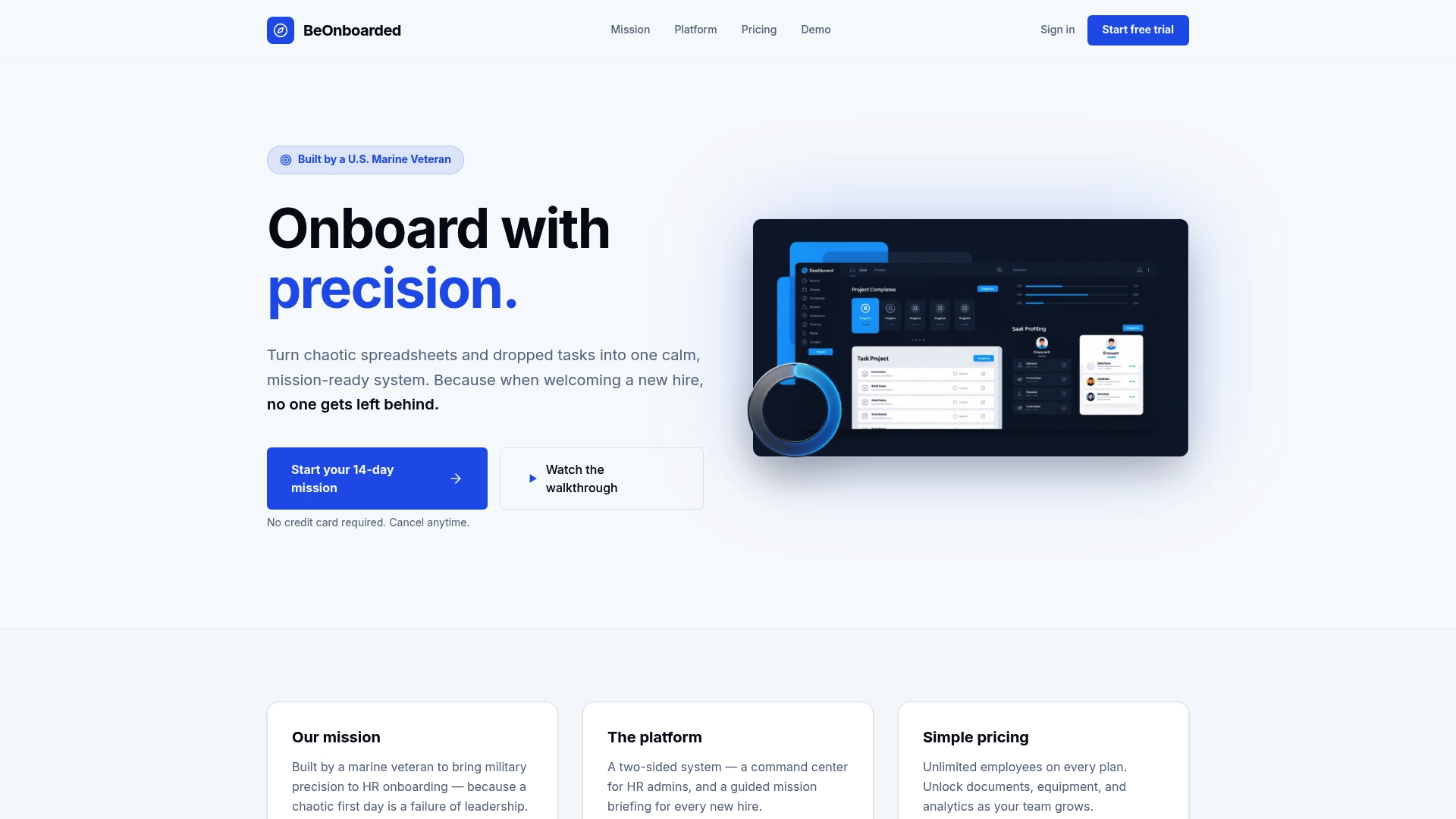
Webeonboarded was built specifically for this. The platform gives HR administrators a centralized view of every document, task, and deadline across all active onboardees, with completion rates broken down by department. New hires get their own portal where forms are assigned in the right sequence, so they're not staring at ten documents at once on Day 1. Automated welcome emails go out before the start date, and overdue tasks surface automatically rather than waiting for someone to chase them down. The platform supports unlimited employees on every plan, so it scales without a pricing penalty as your team grows. If you want to see how it fits your current onboarding process, start a free trial and run a real cohort through it before committing.
Key Takeaways
A complete new hire paperwork checklist covers federal forms, state-specific documents, standard HR agreements, and a timed collection workflow that starts before Day 1.
| Point | Details |
|---|---|
| Federal forms are non-negotiable | Form I-9 (Section 2 within three business days) and Form W-4 must be collected for every employee before the first payroll run. |
| State forms vary by location | Every income-tax state requires its own withholding form; California uses DE-4, New York uses IT-2104, and no-income-tax states like Texas require none. |
| Retention schedules are fixed by law | I-9s must be kept three years from hire or one year post-termination; W-4s require four years of retention. |
| Contractors need W-9, not W-4 | Giving a contractor a W-4 instead of a W-9 signals employee status to the IRS and can trigger reclassification penalties. |
| Webeonboarded centralizes tracking | The platform assigns forms by stage, flags overdue tasks automatically, and gives HR a real-time completion dashboard across all new hires. |